What is this #
Every time I reinstall VSCode on a new system I spend endless hours retooling it to my liking. I could learn to save the settings elsewhere, but that would be far too easy. Instead, I’ve created a cheat sheet for myself.
Oh wait, there it is
Add “code” to PATH #
- Inside VSCode, open preferences (CMD+SHIFT+P), look for “Shell”
- Select “Install Code Command in Path”
- Enter credentials when prompted
- Now when in a terminal, can open vscode by typing
code .to open the current folder in VSCode
Remove Telemetry Tracking #
- Open Settings => Application => Telemetry
- Unselect “Feedback”
- Set Telemetry Level to “off”
- Edit Status => Disabled (All)
Installed Extensions #
- Material Icon Theme => Philipp Kief
- Ruby LSP => Shopify
- Tailwind CSS IntelliSense => Tailwind Labs
Preferred Font #
- Font Family => Fira Code
- Font Ligatures => Enabled
Preferred Theme #
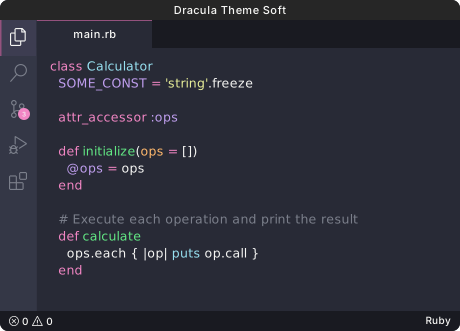
- April 2026 - “Dracula Theme Soft”